

Clash Mi Cross-Platform Mihomo Client

Clash Mi is a cross-platform proxy client with Mihomo built in. On iOS, Android, Windows, macOS and Linux, it uses Clash YAML profiles directly to manage subscriptions, policy groups and connections.

App Store 1.0.32.1803 · GitHub Release 1.0.32.1803
·

Version and release source checked: If more than 30 days have passed without an update, refer to the project release page or app store.

Clash Mi core features

Run profiles in their native format while managing subscriptions, core overrides, node policies and connection checks.

Client interface

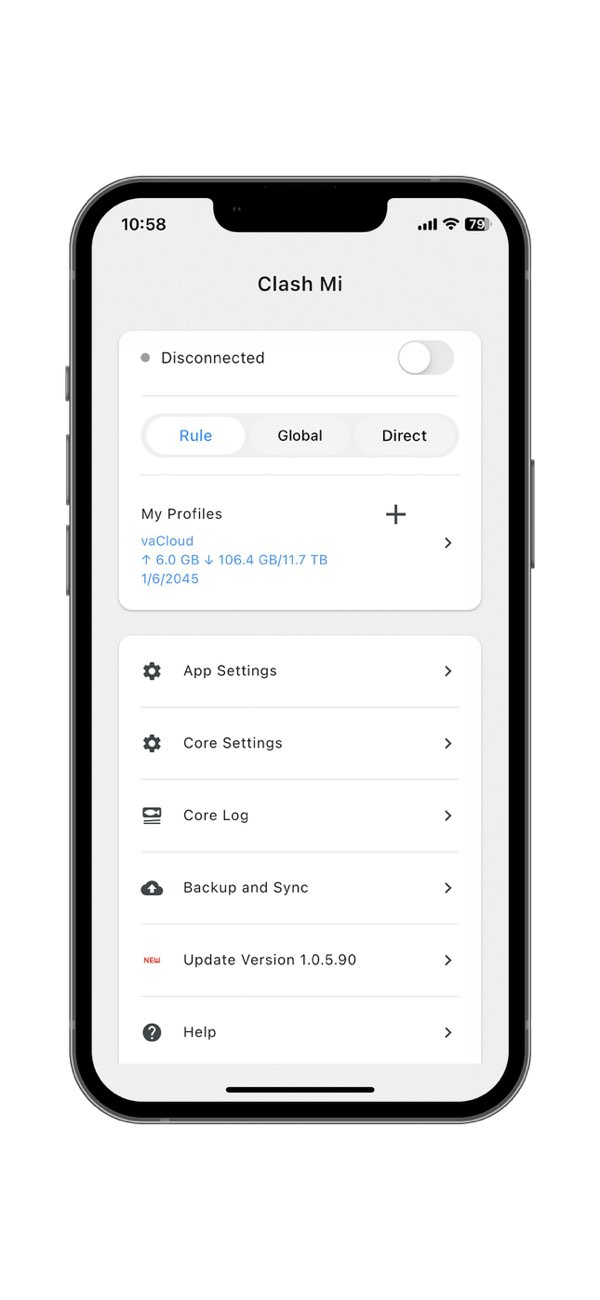
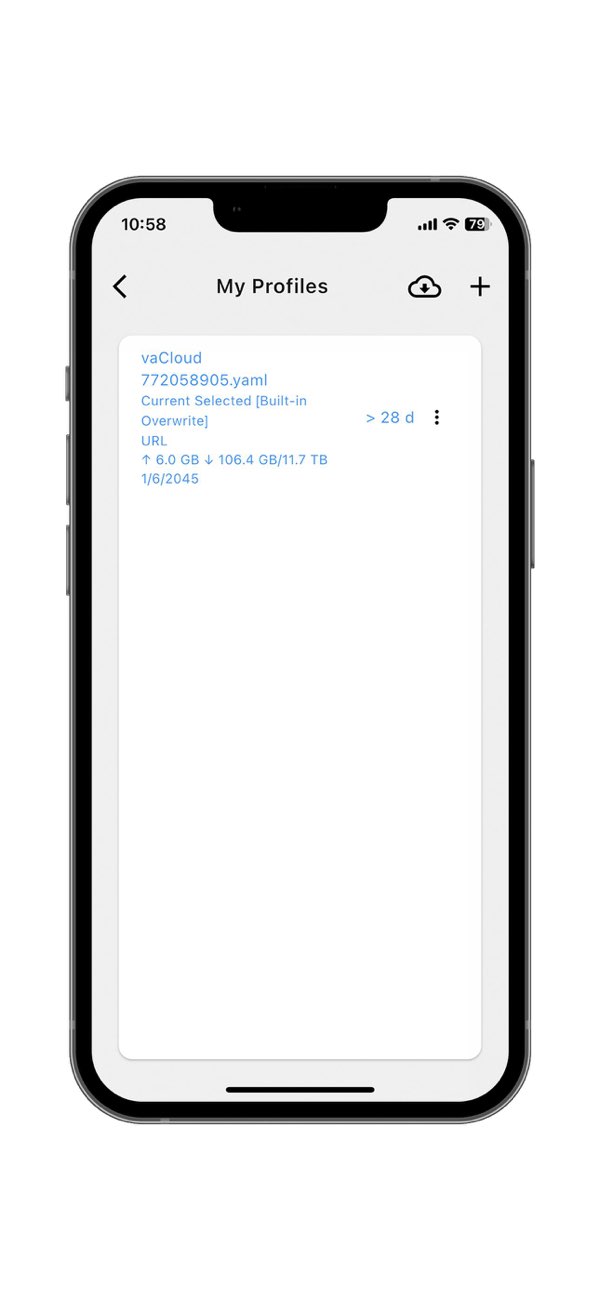
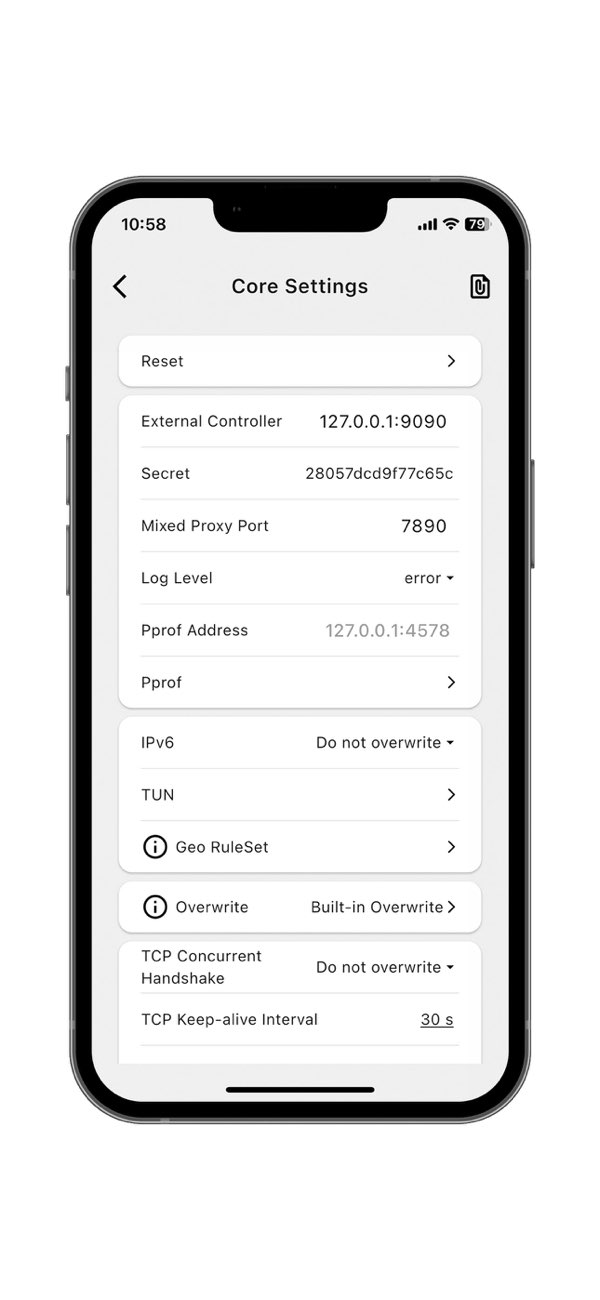
Home, My Profiles and Core Settings screens.

Clash Mi Home

Home

View the disconnected status, Rule mode, My Profiles, and the App Settings, Core Settings and Backup and Sync controls.

Clash Mi My Profiles

My Profiles

View the selected-profile marker, subscription traffic, expiry date and top-right add control in the profile list.

Clash Mi Core Settings

Core Settings

View core settings including the controller address, Secret, local ports, log level and TUN.

Clash Mi downloads

Choose Your Operating System
Current Package

x64

Current Package

universal

Current Release Source

amd64

Current Package

arm64-v8a

Current Release Source

iPhone / iPad

Windows · x64

Clash Mi v1.0.32.1803 · EXE

Site Backup · Verified

View This Package

See the download page for the file size and SHA256.

Source and Verification Details
Maintenance
Maintained
Windows Version
1.0.32.1803
Windows release source
GitHub Releases
Windows system requirements
Windows 10+
System architecture
x64
File source
GitHub Releases
Filename
clashmi_1.0.32.1803_windows_x64.exe
Source review date
2026-11-11
Official Latest Downloads

Choose a release asset matching your operating system and architecture.

macOS · universal

Clash Mi v1.0.32.1803 · DMG

Site Backup · Verified

View This Package

See the download page for the file size and SHA256.

Source and Verification Details
Maintenance
Maintained
macOS Version
1.0.32.1803
macOS release source
GitHub Releases
macOS system requirements
macOS 12+
System architecture
universal
File source
GitHub Releases
Filename
clashmi_1.0.32.1803_macos_universal.dmg
Source review date
2026-11-11
Official Latest Downloads

Choose a release asset matching your operating system and architecture.

Linux

Clash Mi v1.0.32.1803 · AppImage / DEB / RPM

GitHub Releases

Official Latest Downloads

Choose a release asset matching your operating system and architecture.

Source and Verification Details
Maintenance
Maintained
Linux Version
1.0.32.1803
Linux release source
GitHub Releases
Linux system requirements
Linux kernel 6.0+; amd64 only (current official requirements)
System architecture
amd64
File source
GitHub Releases
Source review date
2026-11-15

Clash Mi embeds Mihomo and runs YAML profiles, with profile management, policy selection and built-in zashboard. It supports five platforms; App Store, TestFlight and GitHub releases are tracked separately.

Android · arm64-v8a

Clash Mi v1.0.32.1803 · APK

Site Backup · Verified

View This Package

See the download page for the file size and SHA256.

Source and Verification Details
Maintenance
Maintained
Android version
1.0.32.1803
Android release source
GitHub Releases
Android system requirements
Android 8+
System architecture
arm64-v8a
File source
GitHub Releases
Filename
clashmi_1.0.32.1803_android_arm64-v8a.apk
Source review date
2026-11-11
Official Latest Downloads

Choose a release asset matching your operating system and architecture.

iOS

Clash Mi v1.0.32.1803 · App Store

App Store

Open in App Store

Stable store build; TestFlight installation replaces it.

Source and Verification Details
Maintenance
Maintained
iOS version
1.0.32.1803
iOS release source
App Store
iOS system requirements
iOS / iPadOS 15+
System architecture
iPhone / iPad
File source
App Store
Source review date
2026-11-15

Clash Mi embeds Mihomo and runs YAML profiles, with profile management, policy selection and built-in zashboard. It supports five platforms; App Store, TestFlight and GitHub releases are tracked separately.

This site does not provide IPA installers. Refer to the current U.S. App Store page for the version, price, seller, and system requirements.

Connect for the First Time in Three Steps

After installing Clash Mi, import a subscription, select a node and enable the proxy.

01

Download and install

Choose the right version on this site's download page and install it.

02

Import a subscription configuration link

Import a compatible subscription or configuration and confirm it has loaded.

03

Select a node and enable the proxy

Select an available node, enable the proxy and verify the connection.

Clash Mi FAQs

Use a Clash / Mihomo YAML profile with working nodes, groups and rules. Installing the app does not provide proxy service; bring your own server or active subscription. A sing-box JSON file, v2ray node list or provider login page is not a compatible profile. Ask the provider for the matching URL.