

Loon Rule Routing, Scripts and Plugins for iOS and tvOS

Loon is a rule-based proxy and network debugging tool for iOS and tvOS. Its own configuration system manages nodes, policy groups and routing rules, with request analysis, rewriting and scripting extensions.

iOS App Store 3.5.3
·

Version and release source checked: If more than 30 days have passed without an update, refer to the project release page or app store.

Loon core features

Choose traffic egress with rules and policies, then configure DNS resolution, request processing and automation as needed.

Client interface

Dashboard, policy, node and profile management, captured sessions, request details and body, and traffic mode screens.

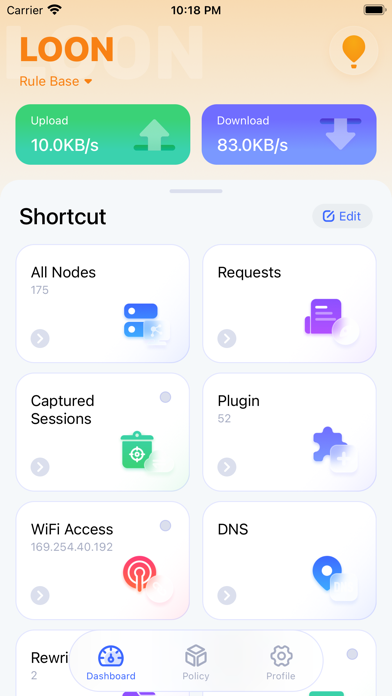
Loon Dashboard

Dashboard

View upload and download rates, plus shortcuts to nodes, requests, captured sessions, plugins and DNS.

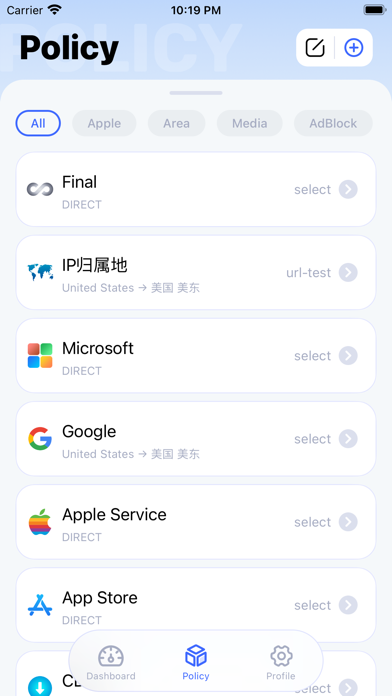
Loon Policy

Policy

View policy-group category filters, selection methods and the current node or DIRECT choice.

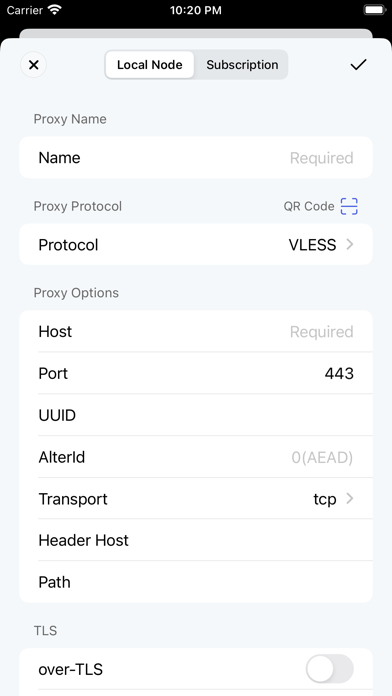
Loon Add Node

Add Node

View the local-node name, VLESS protocol, server, port and transport fields, plus TLS options.

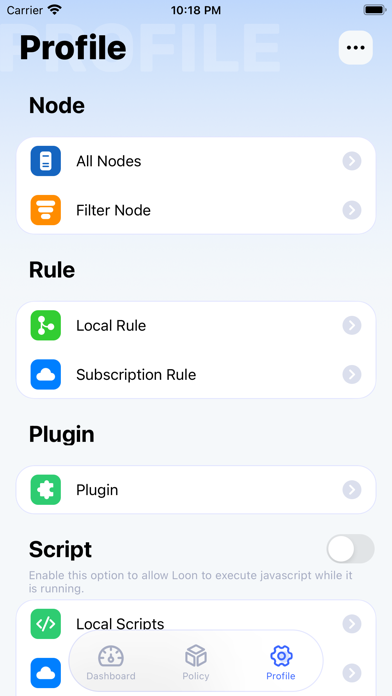
Loon Profile

Profile

View node, rule, plugin and script settings; the script switch is off in this screenshot.

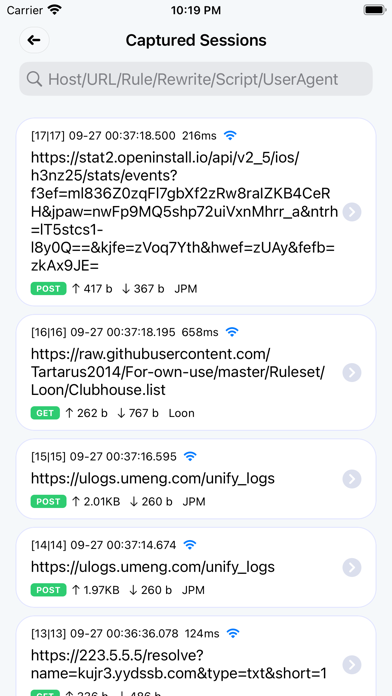
Loon Captured Sessions

Captured Sessions

View request URLs, methods and times, plus uploaded and downloaded data amounts in captured sessions.

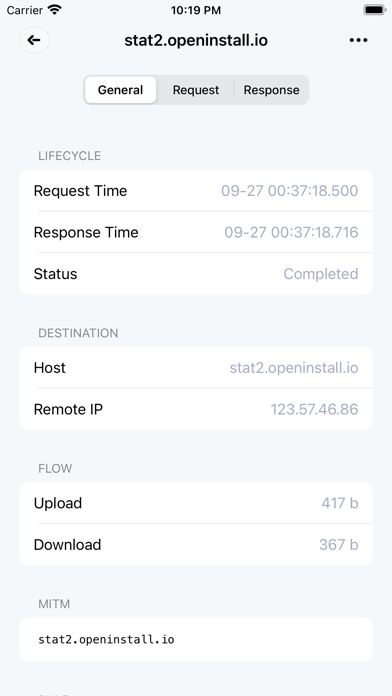
Loon Request Details

Request Details

View a request’s times, Completed status, destination host, remote IP and uploaded and downloaded traffic.

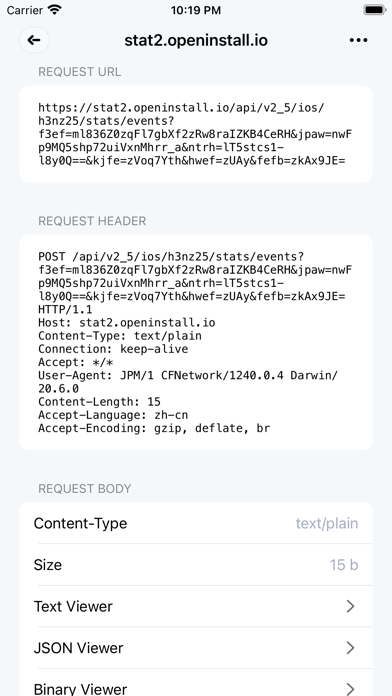
Loon Request Body

Request Body

View the request URL, request headers and body information, plus text, JSON and binary viewer controls.

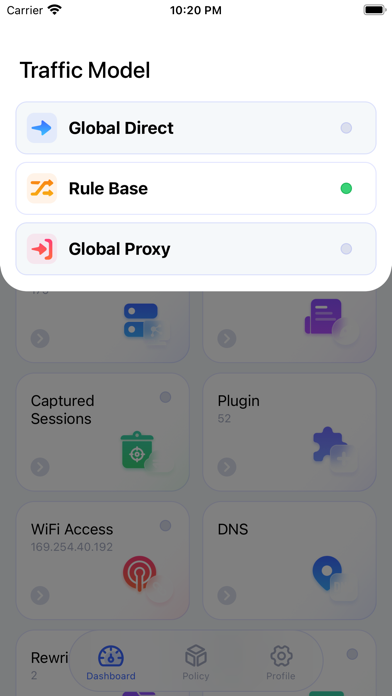
Loon Traffic Model

Traffic Model

View the traffic-mode panel with Rule Base selected and Global Direct and Global Proxy also available.

Loon downloads

Choose Your Operating System
Current Release Source

iPhone / iPad / Apple TV

iOS

Loon v3.5.3 · App Store

App Store

Open in App Store

Paid purchase with regional pricing; this illustrated guide covers iPhone. Official Loon4Mac guides exist, but a separate stable installation channel was not verified here. M1 compatibility is not a substitute for verifying that Mac product.

Source and Verification Details
Maintenance
Actively updated
iOS version
3.5.3
iOS release source
App Store
iOS system requirements
iOS / iPadOS 15+; tvOS 17+
System architecture
iPhone / iPad / Apple TV
File source
App Store
Source review date
2026-11-15

Loon is an iOS and tvOS network tool for subscriptions, policy groups, rule routing, request analysis, plugins and scripts. It uses Loon profiles; establish nodes, policies and rules before adding advanced debugging.

This site does not provide IPA installers. Refer to the current U.S. App Store page for the version, price, seller, and system requirements.

Connect for the First Time in Three Steps

After installing Loon, import a subscription, select a node and enable the proxy.

01

Download and install

Choose the right version on this site's download page and install it.

02

Import a subscription configuration link

Import a compatible subscription or configuration and confirm it has loaded.

03

Select a node and enable the proxy

Select an available node, enable the proxy and verify the connection.

Loon FAQs

Loon manages routing rules, policy groups, requests and plugins. It does not include working proxy servers or traffic. Bring your own server or active node subscription and a Loon-compatible profile. The app purchase is separate from the provider’s nodes, allowance and expiry. Check compatibility before reusing another client’s configuration.