

OpenWrt
OpenClash v0.48.002 · ZIP
Site Backup · Verified
View This PackageSee the download page for the file size and SHA256.
Source and Verification Details
Select the LuCI plugin and Mihomo core separately; an OpenWrt APK is not an Android APK.
OpenClash is a LuCI proxy-management plugin for OpenWrt that uses Mihomo to manage subscription profiles, rule-based routing and transparent proxying at the gateway.
Version and release source checked: If more than 30 days have passed without an update, refer to the project release page or app store.
Manage subscriptions, overrides, client access and runtime checks in the router interface, and adjust gateway-side traffic handling as needed.
Save multiple subscriptions, update nodes as needed, and set conversion options and request parameters for subscriptions that need them.
View the runtime status, DNS settings and profile subscription screens.
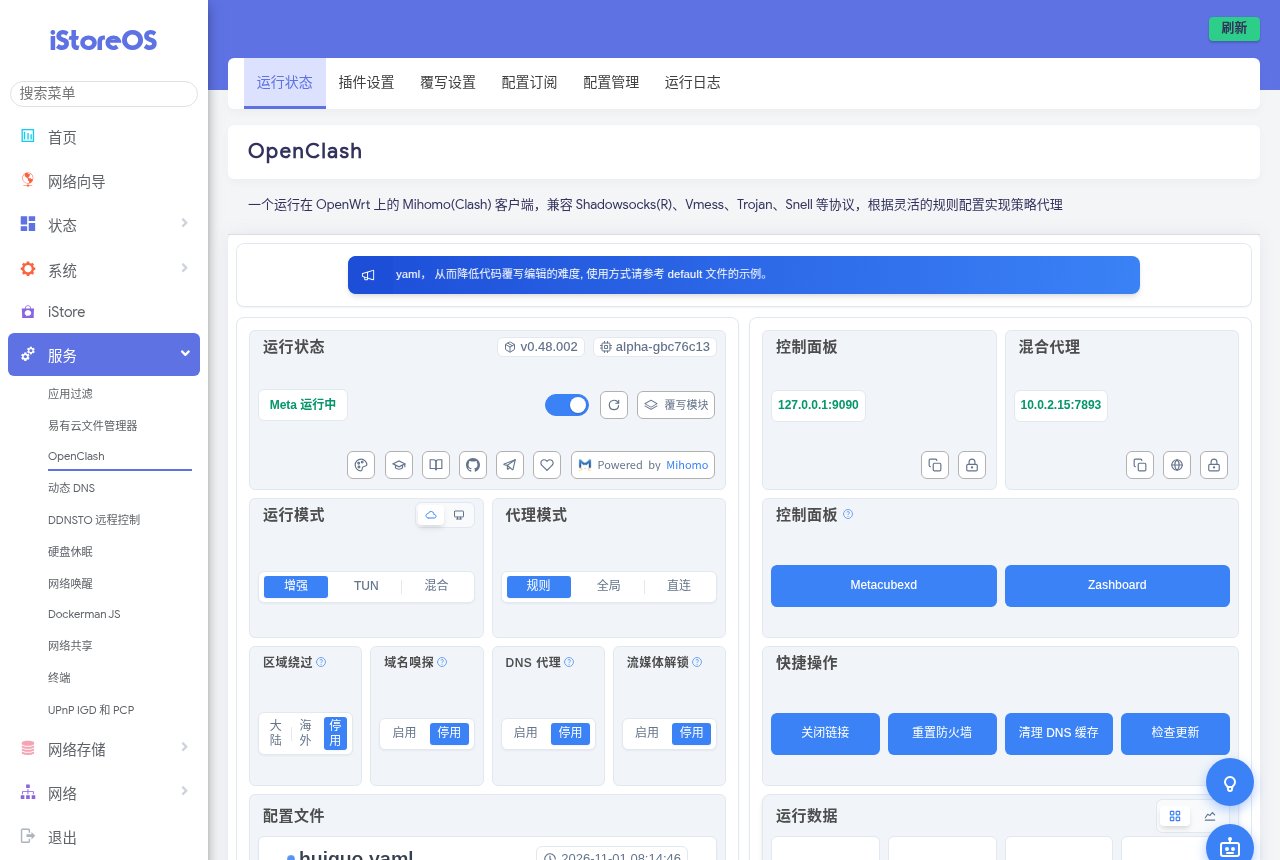 0.48.002
View runtime and proxy modes and dashboard entries; the core is running in this screenshot.

View local DNS interception, cache clearing and Dnsmasq repair settings in the author’s test environment.
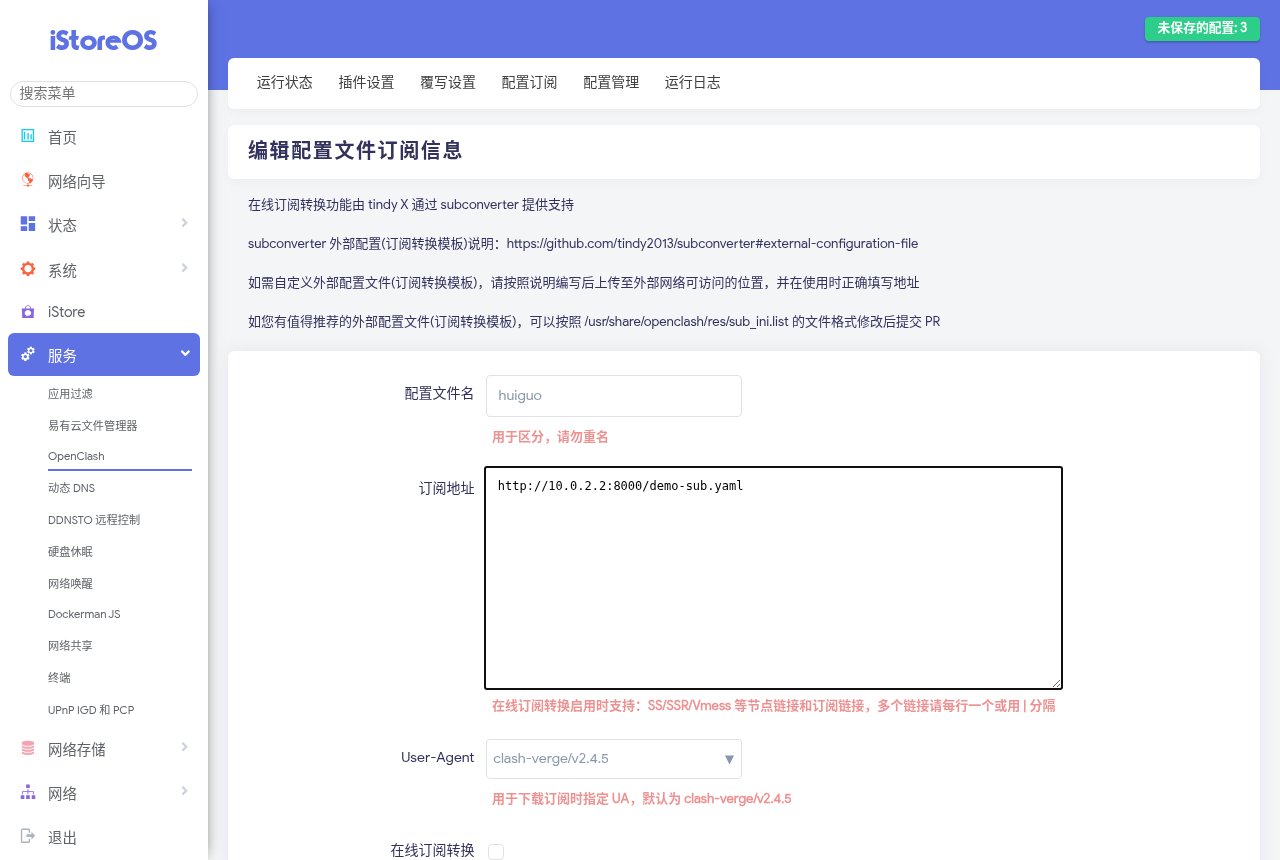
View the subscription name, address and User-Agent settings; the address is a local demo endpoint used by the author.
OpenClash v0.48.002 · ZIP
Site Backup · Verified
View This PackageSee the download page for the file size and SHA256.
Select the LuCI plugin and Mihomo core separately; an OpenWrt APK is not an Android APK.
On your main router, install OpenClash and its core, import and select a profile, then start the plugin, choose a node and verify a client device.
Install the plugin and dependencies for your firmware, then download the Mihomo core matching the router CPU.
Add, save and update the subscription, then switch to the downloaded configuration in configuration management.
Start the plugin, select a node in the dashboard and check one client device's gateway, DNS and access.