

Sparkle A Mihomo Desktop Client with Overrides and WebDAV Backup

Sparkle is an independent Mihomo desktop client for Windows, macOS and Linux, forked from Clash Party. It provides configuration overrides, subscription processing, TUN, and backup and restore.

GitHub Release 1.26.10
·

Version and release source checked: If more than 30 days have passed without an update, refer to the project release page or app store.

Sparkle core features

Use dedicated controls for everyday configuration editing, subscription processing and backup maintenance.

Client interface

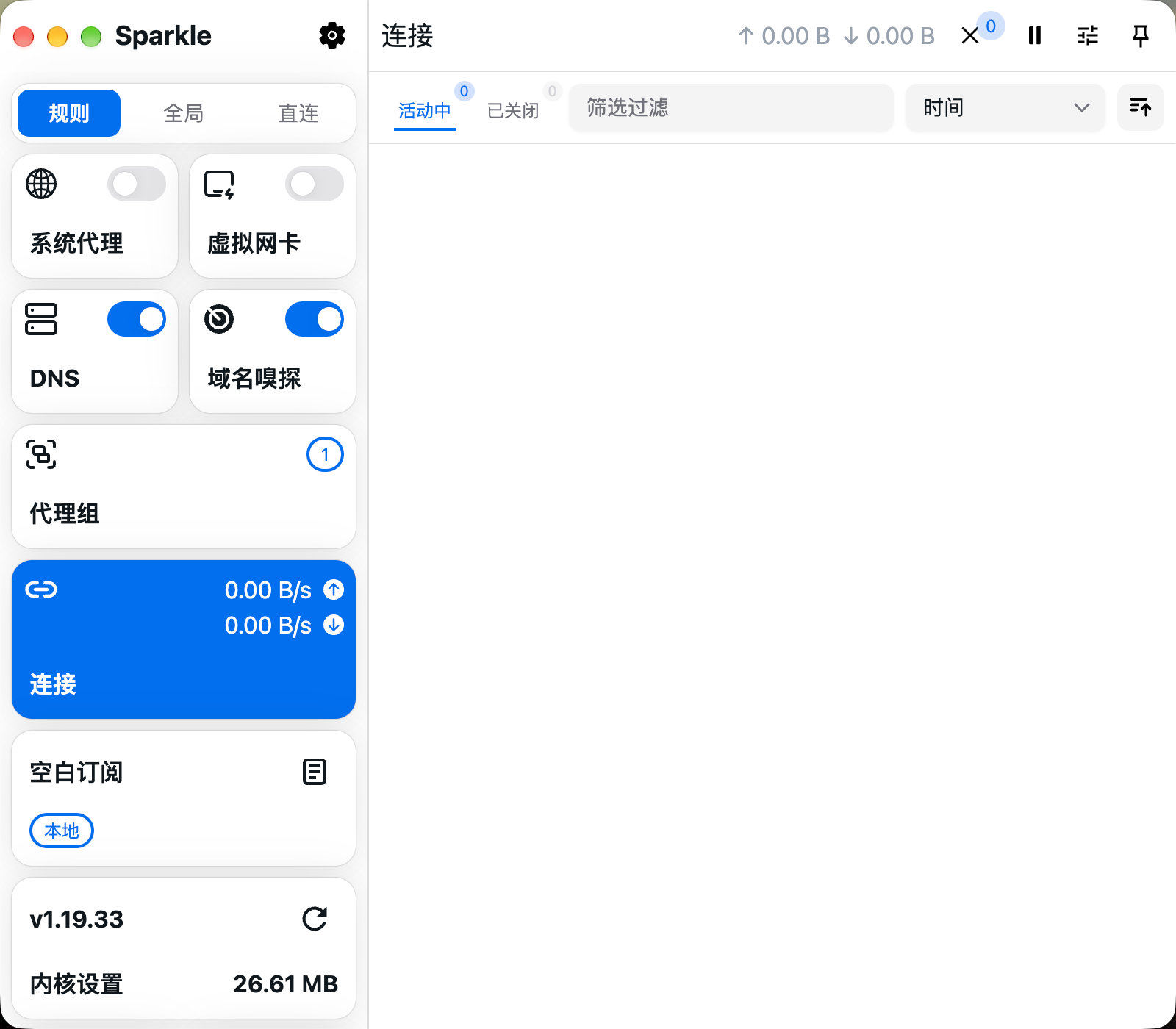
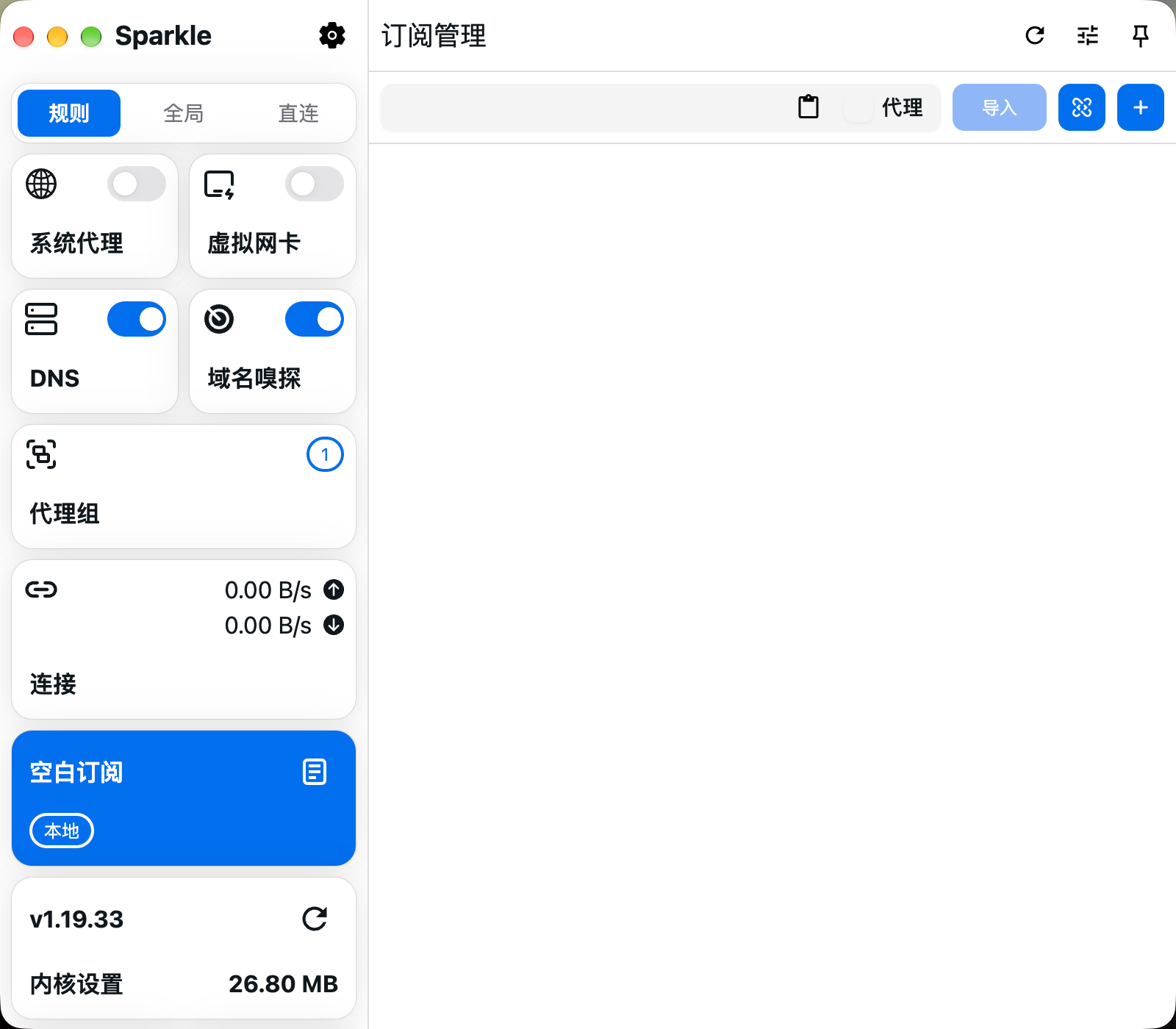
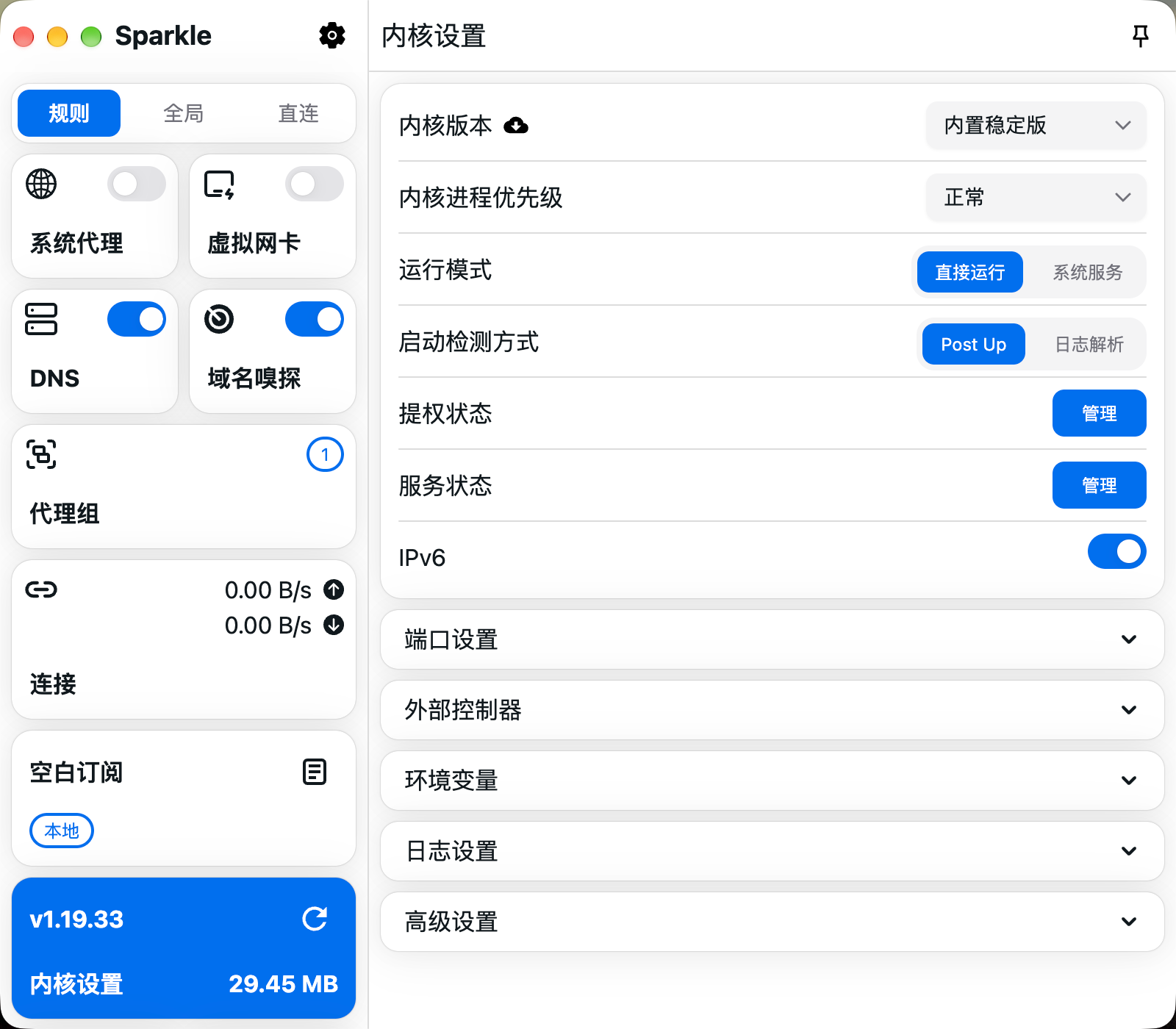
Explore system proxy, virtual network adapter, DNS, domain sniffing, proxy groups, connections, subscriptions and core settings.

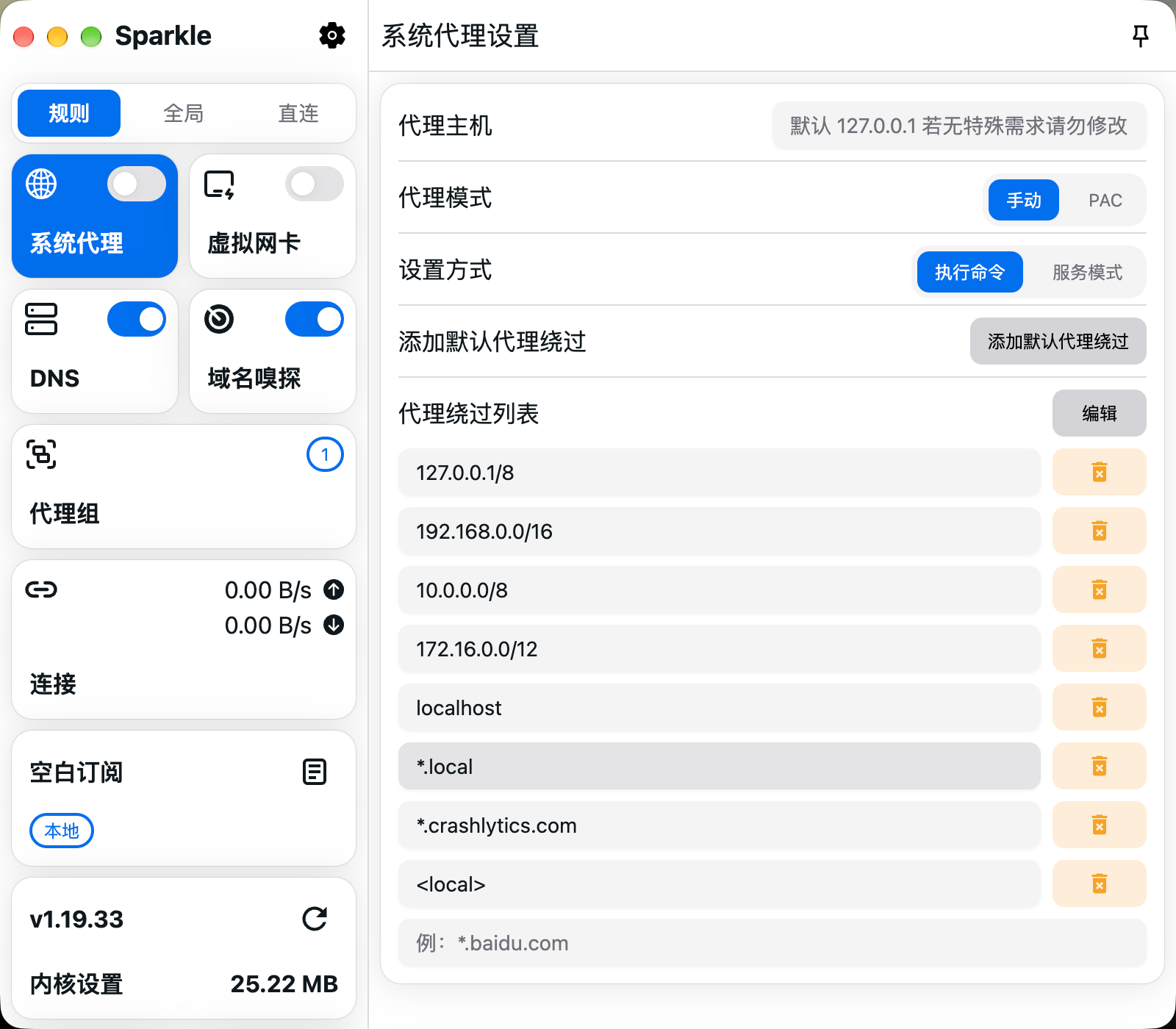
Sparkle System proxyv1.26.10

System proxy

View the proxy host, Manual and PAC modes, setup method and proxy bypass list.

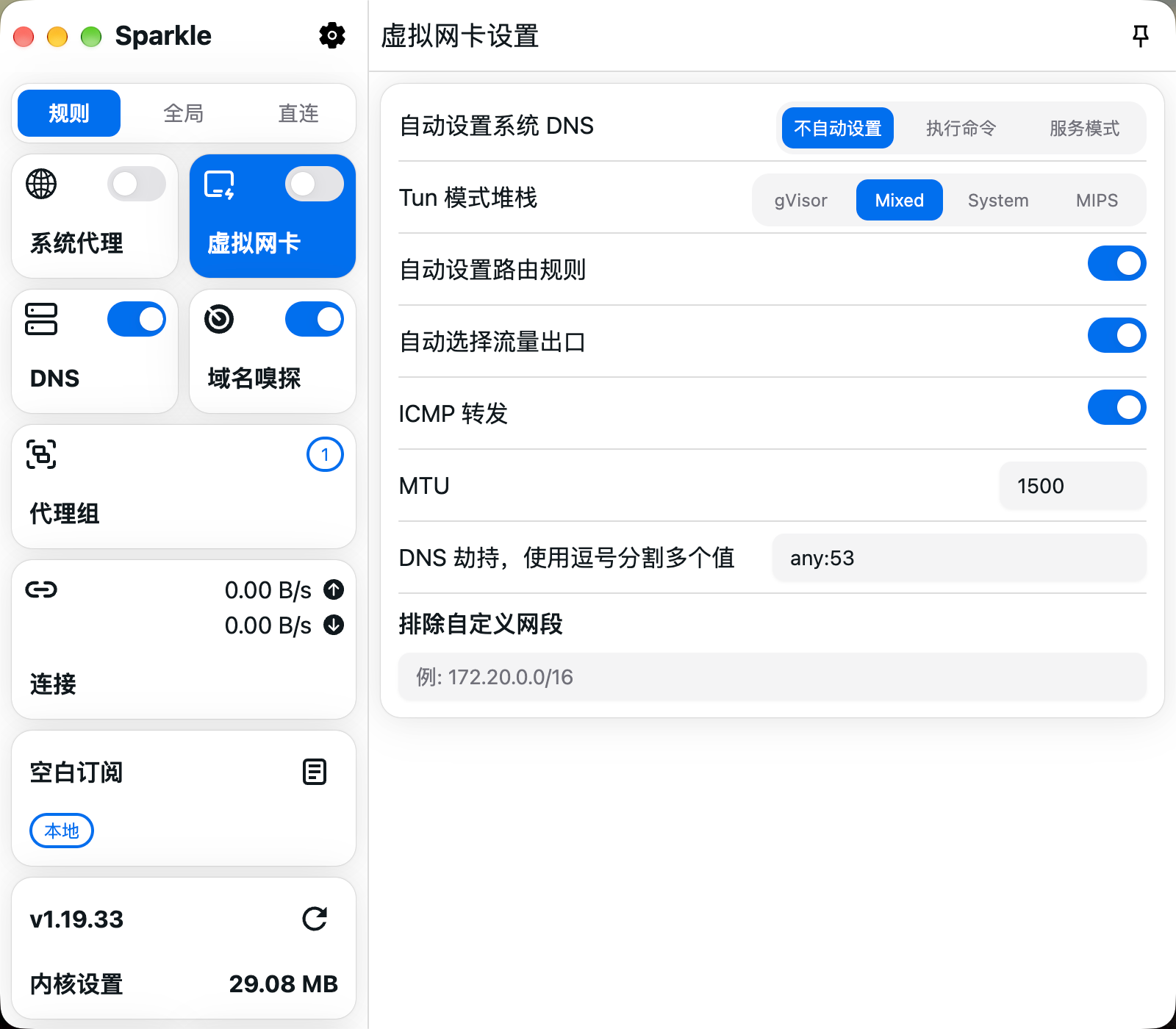
Sparkle Virtual network adapterv1.26.10

Virtual network adapter

View TUN stack, routing, outbound-interface selection, MTU and DNS hijacking options.

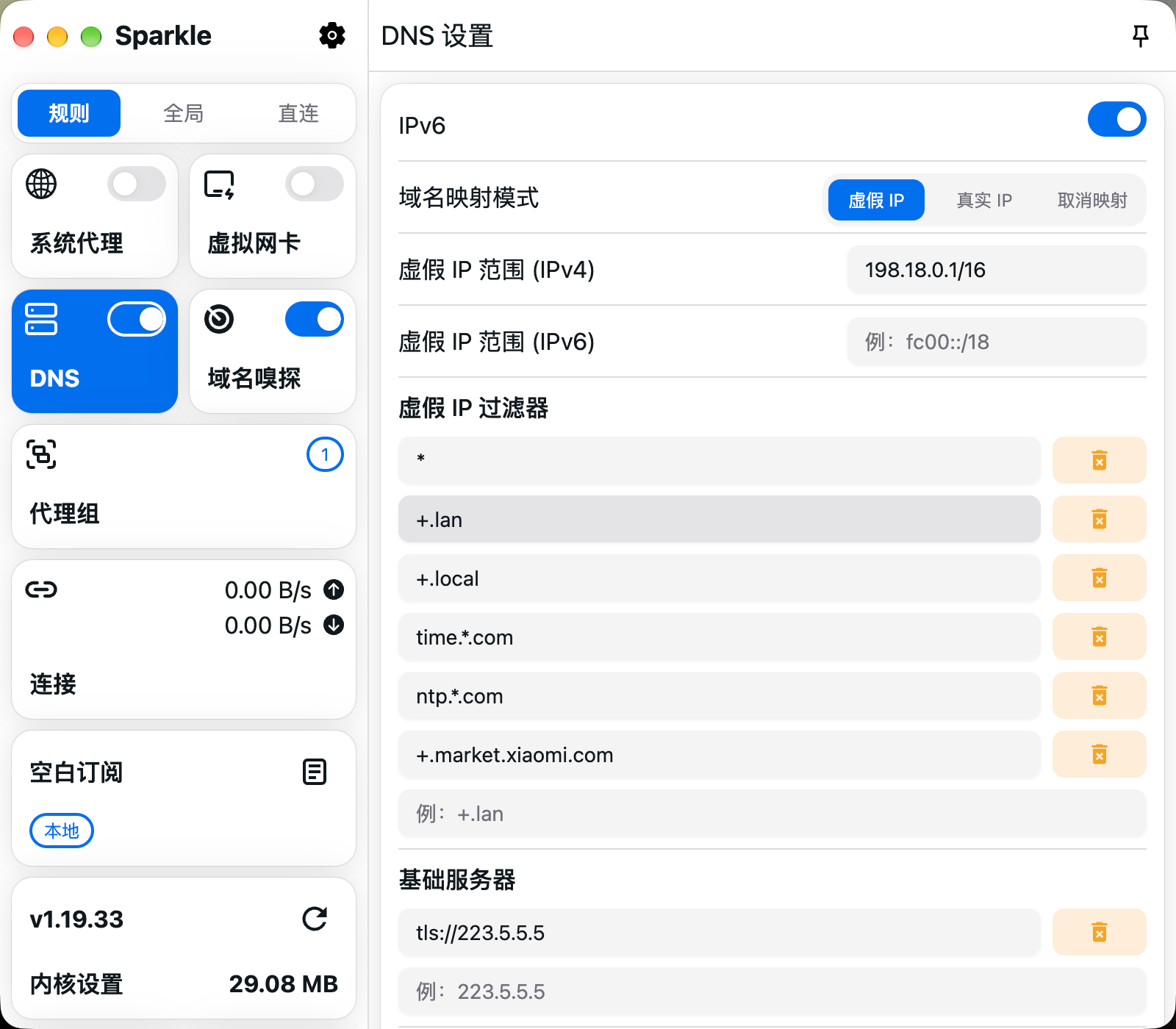
Sparkle DNSv1.26.10

DNS

View IPv6, domain mapping mode, fake-IP ranges and DNS server configuration.

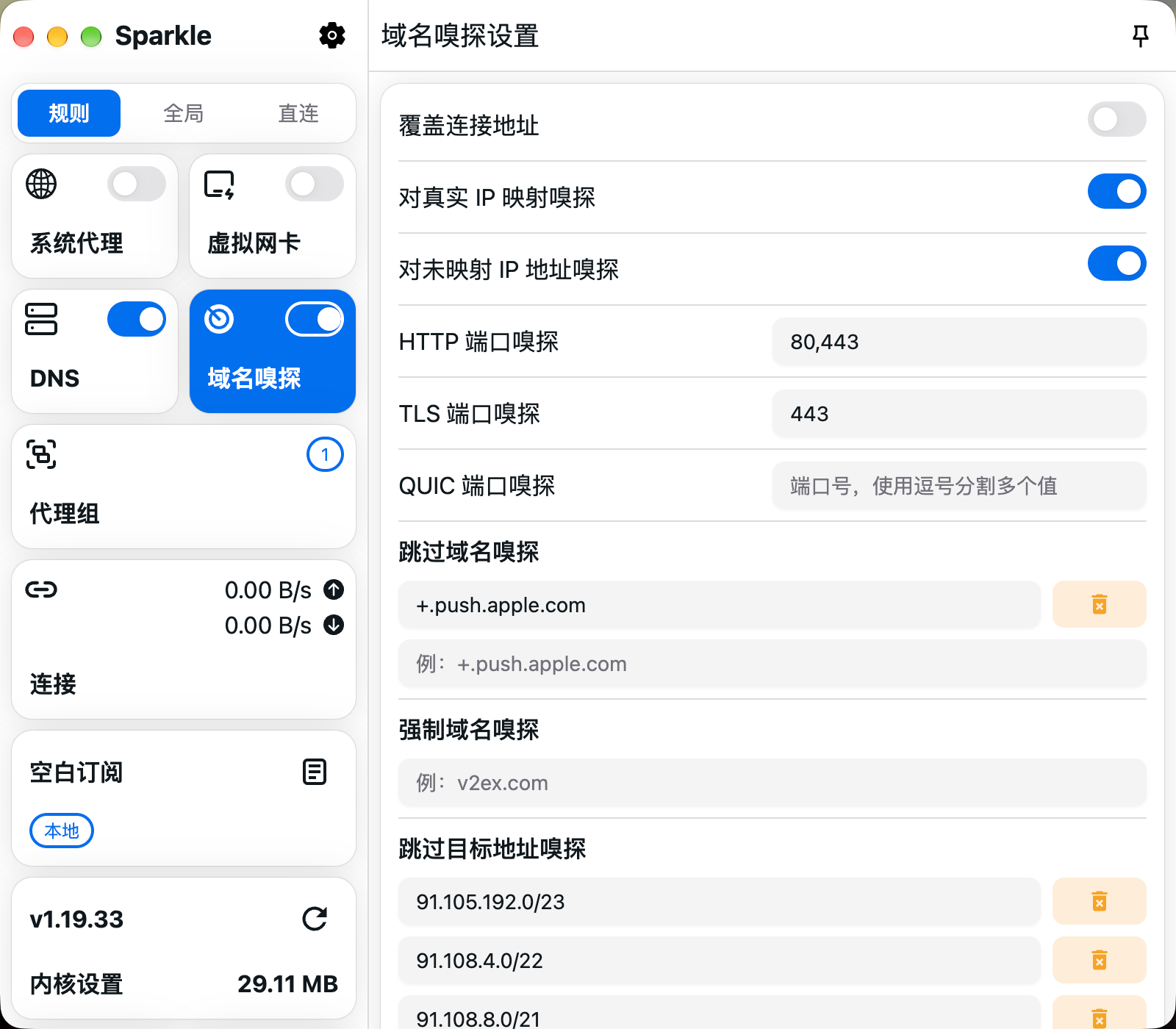
Sparkle Domain sniffingv1.26.10

Domain sniffing

View HTTP, TLS and QUIC sniffing ports, plus domain and destination-address exclusions.

Sparkle Proxy groupsv1.26.10

Proxy groups

View the GLOBAL proxy group and its search, locate and latency-test controls; DIRECT is currently selected.

Sparkle Connectionsv1.26.10

Connections

View active and closed connection filters and the pause control; there are currently no connections.

Sparkle Subscription managementv1.26.10

Subscription management

View the subscription URL input, import and add controls; the current list is empty.

Sparkle Core settingsv1.26.10

Core settings

View core source, run mode, startup detection and settings for ports and the external controller.

Sparkle downloads

Choose Your Operating System
Current Package

x64

Current Package

Apple Silicon

Current Release Source

x64 / ARM64 / Loong64

Windows · x64

Sparkle v1.26.10 · EXE

Site Backup · Verified

View This Package

See the download page for the file size and SHA256.

Source and Verification Details
Maintenance
Maintained
Windows Version
1.26.10
Windows release source
GitHub Releases
Windows system requirements
Windows 10 / 11
System architecture
x64
File source
GitHub Releases
Filename
sparkle-windows-1.26.10-x64-setup.exe
Source review date
2026-11-11
Official Latest Downloads

Choose the package for your CPU architecture: install setup.exe with the wizard, or extract all files from portable.7z and run the app from that folder.

macOS · Apple Silicon

Sparkle v1.26.10 · PKG

Site Backup · Verified

View This Package

See the download page for the file size and SHA256.

Source and Verification Details
Maintenance
Maintained
macOS Version
1.26.10
macOS release source
GitHub Releases
macOS system requirements
macOS 13 or later
System architecture
arm64
File source
GitHub Releases
Filename
sparkle-macos-1.26.10-arm64.pkg
Source review date
2026-11-11
Official Latest Downloads

Choose the PKG for Intel or Apple Silicon, open it and follow the installer, then launch Sparkle from Applications.

Linux

Sparkle v1.26.10 · DEB / RPM / Pacman

GitHub Releases

Official Latest Downloads

Use DEB for Debian/Ubuntu, RPM for RPM-based systems and the appropriate Pacman package for Arch. Match architecture to the files actually provided.

Source and Verification Details
Maintenance
Maintained
Linux Version
1.26.10
Linux release source
GitHub Releases
Linux system requirements
64-bit Linux with GTK3, NSS and libsecret; minimum distribution version not published
System architecture
x64 / ARM64 / Loong64
File source
GitHub Releases
Source review date
2026-11-15

Sparkle is an independent Mihomo desktop client forked from Clash Party for Windows, macOS and Linux. It offers subscriptions, configuration overrides, stable and preview cores, and WebDAV backup. Check Sparkle's own release history before updating or migrating settings.

Connect for the First Time in Three Steps

After installing Sparkle, import a subscription, select a node and enable the proxy.

01

Download and install

Choose the right version on this site's download page and install it.

02

Import a subscription configuration link

Import a compatible subscription or configuration and confirm it has loaded.

03

Select a node and enable the proxy

Select an available node, enable the proxy and verify the connection.

Sparkle FAQs

“系统代理” (system proxy) handles traffic only from apps that honor the OS proxy settings. TUN uses a virtual network adapter to capture traffic within its routing scope and can also handle apps that ignore those settings. If you mainly use a browser or other apps that support system proxy, start by enabling “系统代理” (system proxy). Enable TUN as needed when you also want to capture traffic from apps that ignore the OS proxy. On first use, confirm the node and basic connection work, then grant the permissions requested for TUN.