

Surge Rule-Based Proxy and Network Debugging for Apple Platforms

Surge is a proxy and network debugging tool for iOS and macOS. Its configuration format manages routing rules, policy groups, DNS and request processing; iOS and Mac are licensed separately.

iOS App Store 5.23.0 · Mac 6, licensed separately
·

Version and release source checked: If more than 30 days have passed without an update, refer to the project release page or app store.

Surge core features

Manage traffic capture, routing and request debugging, with separate controls for device connections, local networks and remote access.

Client interface

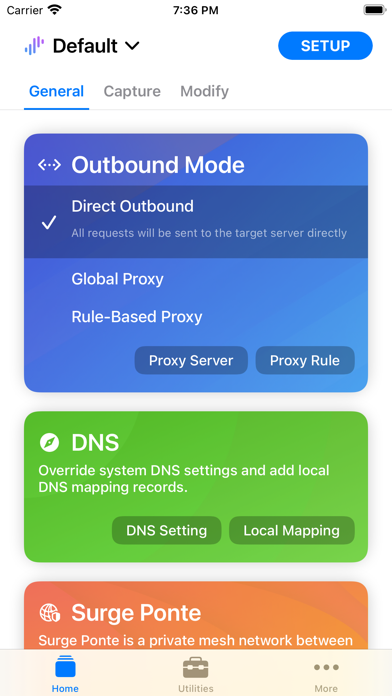
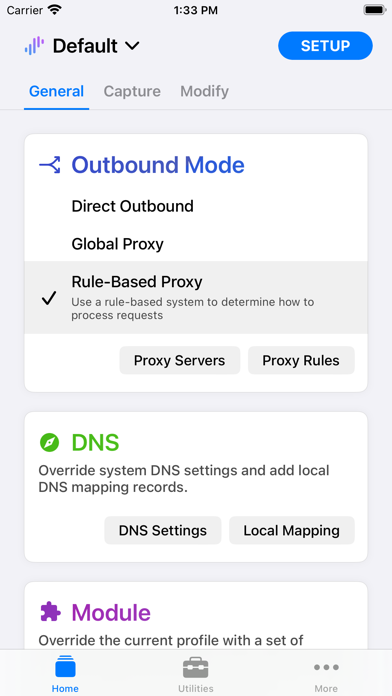
Direct and rule-based proxy states on General, plus Utilities, proxy editing, saved sessions and response-viewing screens.

Surge General

General

The General screen has Direct Outbound selected and shows outbound mode, DNS settings and local mapping controls.

Surge General

General

The General screen has Rule-Based Proxy selected and shows proxy server, proxy rule and DNS settings controls.

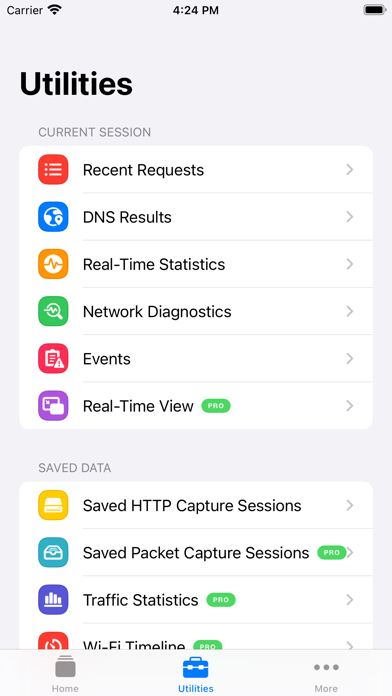
Surge Utilities

Utilities

View utilities for recent requests, DNS results, real-time statistics, network diagnostics and saved sessions.

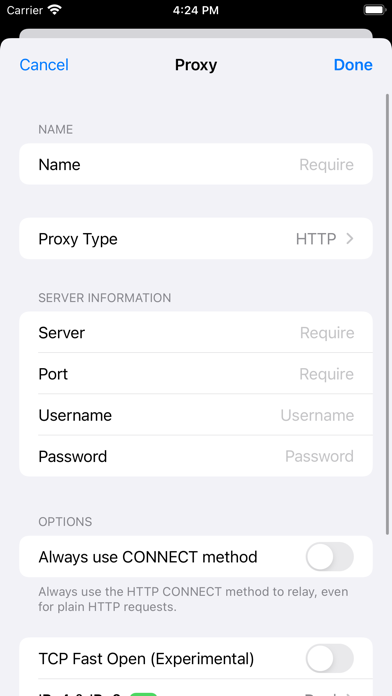
Surge Proxy

Proxy

The HTTP proxy editor shows name, server, port and authentication fields, plus CONNECT and TCP Fast Open options.

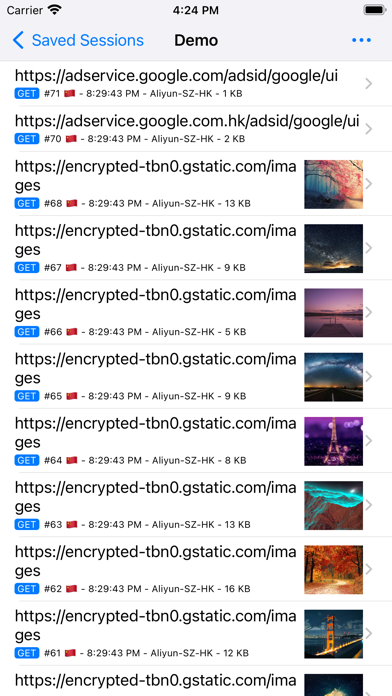
Surge Saved Sessions

Saved Sessions

View request addresses, methods, times and record sizes in the saved Demo session.

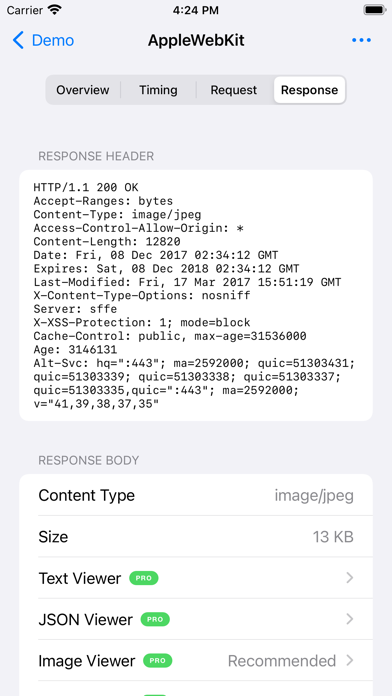
Surge Response

Response

View response headers, body type and size, and viewer controls marked PRO on the Response tab.

Surge downloads

Choose Your Operating System
Current Package

Universal (Intel x64 / Apple Silicon arm64)

Current Release Source

iPhone / iPad / Apple TV

macOS

Surge v6.11.0 · ZIP

Site Backup · Verified

View This Package

See the download page for the file size and source.

Source and Verification Details
Maintenance
Updated; separate iOS and Mac products
macOS Version
6.11.0
macOS release source
Website
macOS system requirements
macOS 12.0+
System architecture
Universal (Intel x64 / Apple Silicon arm64)
File source
Website
Filename
Surge-6.11.0-12800-409443249acdd5276ff2795a76e06044.zip
Source review date
2026-11-12
Official Latest Downloads

A separate Mac product with a trial and its own license; an iOS purchase does not activate Mac.

iOS

Surge v5.23.0 · App Store

App Store

Open in App Store

Free download with in-app purchases. The stable store product is Surge 5; Surge iOS 6 on the website is TestFlight and is a separate release channel.

Source and Verification Details
Maintenance
Updated; separate iOS and Mac products
iOS version
5.23.0
iOS release source
App Store
iOS system requirements
iOS / iPadOS 17+; tvOS 17+
System architecture
iPhone / iPad / Apple TV
File source
App Store
Source review date
2026-11-15

Surge combines rule routing, policy groups, DNS, request inspection and scripting. iOS and Mac are separately released and licensed and use Surge profiles. This page distinguishes the stable store build, beta and Mac channel.

This site does not provide IPA installers. Refer to the current U.S. App Store page for the version, price, seller, and system requirements.

Connect for the First Time in Three Steps

After installing Surge, import a subscription, select a node and enable the proxy.

01

Download and install

Choose the right version on this site's download page and install it.

02

Import a subscription configuration link

Import a compatible subscription or configuration and confirm it has loaded.

03

Select a node and enable the proxy

Select an available node, enable the proxy and verify the connection.

Surge FAQs

Surge provides rule-based proxying, request inspection and debugging, not proxy servers or a traffic plan. Bring a working service and use Surge’s INI-like profile format; a Clash YAML file is not directly importable as a Surge profile. Check nodes, groups and rules before enabling optional debugging features.